Materials Showcase
This example demonstrates the different material types available in Hikari, arranged in a scene to clearly show their properties.
Available Materials
Hikari supports several physically-based materials:
MatteMaterial: Diffuse surfaces with optional roughness (Oren-Nayar model)
MirrorMaterial: Perfect specular reflection
GlassMaterial: Transparent material with refraction and optional roughness
PlasticMaterial: Combination of diffuse and glossy specular reflection (coated diffuse)
ConductorMaterial: Physically-based metals with complex IOR (eta + k)
julia
using GeometryBasics
using Hikari
using FileIO
using ImageShow

# Helper to tessellate primitives
to_mesh(prim) = normal_mesh(prim isa Sphere ? Tesselation(prim, 64) : prim)

# Helper to create a sphere resting on the ground
LowSphere(radius, x, z) = Sphere(Point3f(x, radius, z), radius)

# ============================================
# Define all material types
# ============================================

# 1. MATTE MATERIALS - Diffuse reflection
# Smooth diffuse (Lambertian) - terracotta color
matte_smooth = Hikari.MatteMaterial(Kd=Hikari.RGBSpectrum(0.8f0, 0.4f0, 0.3f0))
# Rough diffuse (Oren-Nayar) - chalk/clay appearance
matte_rough = Hikari.MatteMaterial(Kd=Hikari.RGBSpectrum(0.85f0, 0.85f0, 0.8f0), σ=60f0)

# 2. MIRROR - Perfect specular reflection
# Silver mirror
mirror_silver = Hikari.MirrorMaterial(Kr=Hikari.RGBSpectrum(0.95f0, 0.93f0, 0.88f0))

# 3. CONDUCTOR MATERIALS - Physically-based metals
# Gold
gold = Hikari.ConductorMaterial(
    eta=Hikari.RGBSpectrum(0.15557f0, 0.42415f0, 1.3831f0),
    k=Hikari.RGBSpectrum(3.6024f0, 2.4721f0, 1.9155f0),
    roughness=0.05f0,
)
# Copper
copper = Hikari.ConductorMaterial(
    eta=Hikari.RGBSpectrum(0.27105f0, 0.67693f0, 1.3164f0),
    k=Hikari.RGBSpectrum(3.6092f0, 2.6248f0, 2.2921f0),
    roughness=0.1f0,
)

# 4. GLASS MATERIALS - Refraction and transparency
# Clear glass
glass_clear = Hikari.GlassMaterial(index=1.5f0)
# Frosted glass
glass_frosted = Hikari.GlassMaterial(roughness=0.15f0, index=1.5f0)

# 5. PLASTIC MATERIALS - Diffuse + glossy specular
# Shiny red plastic
plastic_shiny = Hikari.PlasticMaterial(
    Kd=Hikari.RGBSpectrum(0.8f0, 0.1f0, 0.1f0),
    Ks=Hikari.RGBSpectrum(0.4f0),
    roughness=0.02f0,
)
# Matte blue plastic
plastic_matte = Hikari.PlasticMaterial(
    Kd=Hikari.RGBSpectrum(0.15f0, 0.3f0, 0.7f0),
    Ks=Hikari.RGBSpectrum(0.15f0),
    roughness=0.25f0,
)

# Floor
floor_mat = Hikari.MatteMaterial(Kd=Hikari.RGBSpectrum(0.85f0))

# ============================================
# Create scene with 3x3 grid of spheres
# ============================================
# Back row:   Matte Smooth | Matte Rough  | Glass Clear
# Middle row: Mirror Silver| Gold         | Copper
# Front row:  Frosted Glass| Plastic Shiny| Plastic Matte

r = 0.38f0
sx, sz = 1.0f0, 1.1f0

scene = Hikari.Scene()

# Back row (z = sz)
push!(scene, to_mesh(LowSphere(r, -sx, sz)), matte_smooth)
push!(scene, to_mesh(LowSphere(r, 0f0, sz)), matte_rough)
push!(scene, to_mesh(LowSphere(r, sx, sz)), glass_clear)

# Middle row (z = 0)
push!(scene, to_mesh(LowSphere(r, -sx, 0f0)), mirror_silver)
push!(scene, to_mesh(LowSphere(r, 0f0, 0f0)), gold)
push!(scene, to_mesh(LowSphere(r, sx, 0f0)), copper)

# Front row (z = -sz)
push!(scene, to_mesh(LowSphere(r, -sx, -sz)), glass_frosted)
push!(scene, to_mesh(LowSphere(r, 0f0, -sz)), plastic_shiny)
push!(scene, to_mesh(LowSphere(r, sx, -sz)), plastic_matte)

# Ground plane
push!(scene, to_mesh(Rect3f(Vec3f(-3, 0, -3), Vec3f(6, 0.01, 6))), floor_mat)

# Lighting
push!(scene, Hikari.PointLight(Point3f(3f0, 4f0, -3f0), Hikari.RGBSpectrum(15f0)))
push!(scene, Hikari.PointLight(Point3f(-3f0, 3f0, -2f0), Hikari.RGBSpectrum(6f0)))
push!(scene, Hikari.PointLight(Point3f(0f0, 3f0, 3f0), Hikari.RGBSpectrum(8f0)))
push!(scene, Hikari.AmbientLight(Hikari.RGBSpectrum(0.05f0)))

Hikari.sync!(scene)

# Camera setup
resolution = Point2f(1024)
film = Hikari.Film(resolution)
camera = Hikari.PerspectiveCamera(
    Point3f(0f0, 3.5f0, -5f0), Point3f(0f0, 0.2f0, 0f0), film; fov=40f0,
)
Hikari.clear!(film)

# Render
integrator = Hikari.VolPath(samples=16, max_depth=5)
integrator(scene, film, camera)

img = Hikari.postprocess!(film; exposure=1.0f0, tonemap=:aces, gamma=2.2f0)
Array(img)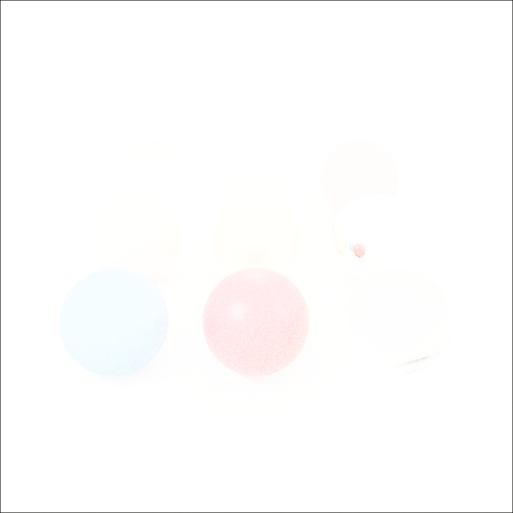
Material Properties Reference
| Material | Key Parameters | Best For |
|---|---|---|
| MatteMaterial | Kd (color), σ (roughness 0-90°) | Diffuse surfaces: walls, cloth, paper, chalk |
| MirrorMaterial | Kr (reflectance color) | Perfect specular mirrors |
| GlassMaterial | Kr, Kt, roughness, index (IOR) | Glass, water, gems, ice, frosted surfaces |
| PlasticMaterial | Kd, Ks, roughness | Plastic, painted surfaces, ceramics |
| ConductorMaterial | eta, k, roughness | Physically-based metals: gold, copper, silver |
Index of Refraction (IOR) Reference
Common IOR values for GlassMaterial:
Air: 1.0
Water: 1.33
Glass: 1.5
Crystal: 1.6-2.0
Diamond: 2.42